Curved Monitor vs Flat (2026): Which One Should You Buy for Gaming & Work?
Curved monitor vs flat in 2026 — which one is actually better for gaming, work, and eye comfort? Discover real differences, pros & cons, and the best choice before you buy.
 alissaperry
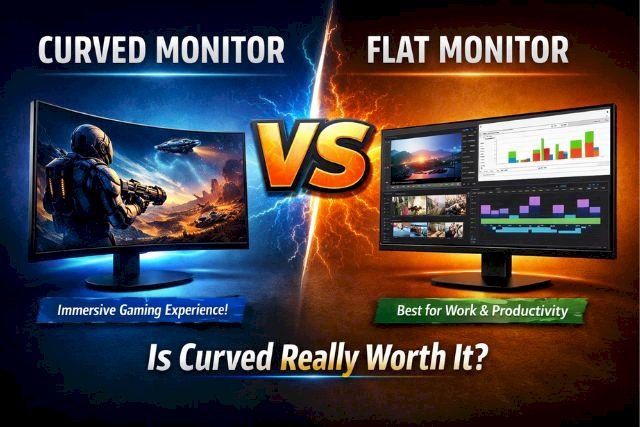
What if the monitor you choose could completely change your gaming experience, productivity, and even your eye comfort?
In 2026, the debate between curved monitor vs flat is bigger than ever. Some users swear by curved screens for immersion, while others stick to flat monitors for accuracy and practicality.
So which one is actually better — and more importantly, which one is right for you?
Quick Answer: Curved Monitor vs Flat (2026)
If you want a simple answer:
- Curved monitor → Best for immersive gaming & ultrawide setups
- Flat monitor → Best for work, budget, and competitive gaming
Quick Comparison: Curved Monitor vs Flat
| Feature | Curved Monitor | Flat Monitor |
|---|---|---|
| Immersion | Excellent, wrap-around feel | Standard |
| Best For | Gaming, ultrawide setups | Office, design, dual monitors |
| Eye Comfort | Better on large screens | Good on small-medium screens |
| Price | Slightly higher | More affordable |
| Wall Mounting | Less convenient | Easy |
| Competitive Gaming | Less common | Preferred |
| Multi-Monitor Setup | Harder to align | Seamless |
If you want a quick answer: curved is better for immersion; flat is better for versatility and value.
What Is a Curved Monitor?
A curved monitor features a slightly bent display panel designed to match the natural curvature of the human eye. The goal is to create a more immersive field of view and reduce distortion at the edges of large screens.
You’ll often see curvature ratings like:
-
1000R – Very aggressive curve (most immersive)
-
1500R – Balanced curve
-
1800R – Subtle curve
The “R” represents the radius in millimeters of a hypothetical circle the monitor would complete.
Curved monitors are most effective in sizes 27 inches and above, particularly in 32-inch and ultrawide 34–49-inch displays.
Pros of Curved Monitors
-
Immersive viewing experience
-
Reduced edge distortion on large screens
-
Better peripheral engagement
-
Ideal for ultrawide gaming setups
-
More cinematic for movies
Cons of Curved Monitors
-
Higher price in many cases
-
Less practical for wall mounting
-
Not ideal for small desks
-
Limited benefit on screens under 27”
What Is a Flat Monitor?
Flat monitors are the traditional standard display design. They offer a straight viewing surface and remain the most common monitor type worldwide.
Flat screens are:
-
Widely used in offices
-
Preferred for professional editing
-
Easier to align in multi-monitor setups
-
Generally more affordable
Pros of Flat Monitors
-
Budget-friendly options available
-
Better for dual-monitor alignment
-
Easier wall mounting
-
More consistent viewing angles for collaboration
-
Preferred for competitive esports
Cons of Flat Monitors
-
Less immersive for gaming
-
Edge distortion on very large screens
-
Less cinematic experience
If you're planning to buy a console, explore PS5 vs Nintendo Switch and understand which one offers better performance, games, and value in 2026
Curved Monitor vs Flat for Gaming
Gaming is where the curved vs flat monitor debate gets intense.
Immersion & Field of View
Curved monitors shine in:
-
Open-world games
-
Racing simulators
-
RPG titles
-
Cinematic single-player games
The screen wraps around your peripheral vision, making gameplay feel more immersive.
Ultrawide curved monitors (34”+) are especially popular among gamers who want a cinematic experience.
Competitive Gaming Perspective
Interestingly, most professional esports players still use flat monitors. Why?
-
Consistency
-
Simpler visual tracking
-
Standardized tournament setups
-
Faster focus on center-screen targets
For competitive FPS games like Valorant or CS-style shooters, many players prefer flat panels.
Gaming Verdict
-
Casual or immersive gaming → Curved wins
-
Competitive esports gaming → Flat wins
Curved vs Flat Monitor for Work & Productivity
Work performance depends heavily on screen real estate and viewing comfort.
Multitasking & Ultrawide Use
A curved ultrawide monitor allows:
-
Multiple windows side-by-side
-
Less head movement
-
Better viewing consistency across edges
For spreadsheet-heavy work, trading dashboards, and video timelines, curved ultrawide monitors can be extremely productive.
Dual Monitor Setups
Flat monitors dominate here.
Two flat monitors sit flush side-by-side without awkward gaps. Curved monitors are harder to align.
Productivity Verdict
-
Single ultrawide setup → Curved
-
Dual-monitor office setup → Flat
Eye Strain & Viewing Comfort
One major marketing claim of curved monitors is reduced eye strain.
Here’s what actually matters:
-
On large screens (32”+), curved displays reduce distortion at edges.
-
You may move your eyes less across wide screens.
-
Your viewing distance stays more consistent.
However:
-
Sitting off-center reduces the curved monitor's benefits.
-
For smaller screens (24–27”), flat and curved feel similar.
If you sit directly centered and use a large display daily, curved may feel more natural.
Price Comparison (2026 US & UK)
Here’s how curved monitor vs flat pricing compares in 2026:
| Size | Flat Monitor Price | Curved Monitor Price |
|---|---|---|
| 24–27” | $120–$250 (£100–£220) | $200–$350 (£180–£300) |
| 32” | $250–$450 (£220–£400) | $350–$700 (£300–£600) |
| Ultrawide | $400–$900 (£350–£800) | $600–$1,500 (£500–£1,300) |
Flat monitors clearly win in affordability. Curved displays cost more, especially in premium ultrawide categories.
If budget matters most, flat monitors offer better value.
Which Monitor Lasts Longer?
Flat monitors are generally more durable and easier to maintain because of their simpler design. Curved monitors can be slightly more fragile due to their panel structure.
However, with proper care, both can last 5–7 years or more.
If you're considering a budget TV, check out the Samsung DU7200 review and see how its features, picture quality, and value stack up in 2026
Best Use Cases Breakdown
Choose a Curved Monitor If:
-
You want immersive gaming
-
You watch movies on your monitor
-
You prefer a single ultrawide display
-
You sit centered directly in front
-
You want a premium aesthetic setup
Choose a Flat Monitor If:
-
You’re on a tighter budget
-
You use dual monitors
-
You compete in esports
-
You do professional photo editing
-
You frequently collaborate with others
Real-World Buying Scenarios
Scenario 1: The Casual Gamer
You play open-world games after work and want immersion.
→ A 34” curved ultrawide is worth it.
Scenario 2: The Office Professional
You use Excel, emails, and documents daily.
→ A 27” flat monitor (or dual setup) is ideal.
Scenario 3: The Video Editor
You need timeline width and immersive previews.
→ A curved ultrawide works well.
Scenario 4: The Competitive FPS Player
Precision and response speed matter most.
→ Stick with flat.
Are Curved Monitors Better for Movies?
Yes — especially ultrawide models.
The curve enhances cinematic framing and reduces edge distortion. For streaming and media consumption, curved monitors often feel more engaging.
However, if you frequently watch with multiple people, flat monitors provide better shared viewing angles.
Do Curved Monitors Take More Space?
They can.
Curved monitors often:
-
Require deeper desks
-
Have larger stands
-
Don’t sit flush against walls
Measure your desk depth before buying.
Common Myths About Curved Monitors
Myth 1: Curved monitors always reduce eye strain
Not necessarily — only beneficial on larger screens.
Myth 2: Curved monitors are better for all gaming
Not for competitive esports.
Myth 3: Flat monitors are outdated
Flat monitors remain dominant in offices and pro gaming.
Frequently Asked Questions
Is a curved monitor better than flat?
It depends on your usage. Curved is more immersive; flat is more versatile.
Is curved monitor worth it for work?
Yes for ultrawide multitasking, but flat may be better for dual-monitor setups.
Why do pros use flat monitors?
Competitive focus and consistency.
Are curved monitors more expensive?
Generally yes, especially in ultrawide formats.
Data Sources & Accuracy
This article is based on real-world usage comparisons, manufacturer specifications, and industry insights. Performance may vary depending on brand, panel type, and user setup.
Final Verdict – Is Curved Really Worth It?
The answer to curved monitor vs flat depends entirely on how you use your screen.
If immersion, aesthetics, and a premium feel matter most, curved monitors are absolutely worth it, especially in ultrawide formats.
If practicality, budget, and versatility matter more, flat monitors remain the smarter choice.
In 2026, curved monitors are no longer just a gimmick. They offer real benefits — but only for the right user.
Before buying, ask yourself:
-
Do I want immersion or practicality?
-
Am I gaming competitively or casually?
-
Do I prefer one large screen or dual monitors?
-
What’s my budget?
Once you answer those, your choice becomes clear.
Want a true big-screen gaming experience? Explore the best gaming beamers in 2026 and find the perfect projector for PS5, Xbox, and PC