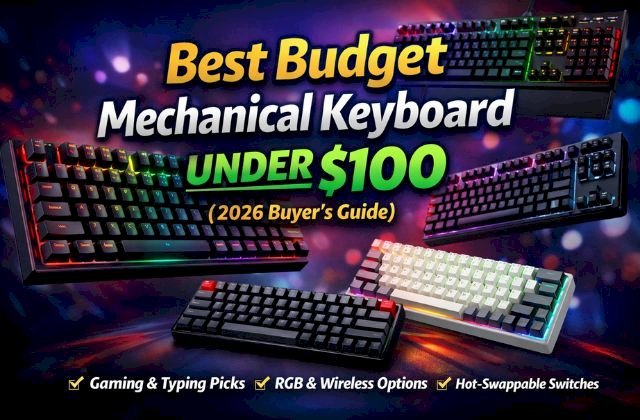
Best Budget Mechanical Keyboard Under $100 (2026 Buyer’s Guide)
Discover the best budget mechanical keyboard under $100 in 2026. Compare top gaming, typing, 60%, TKL, and wireless picks with RGB, hot-swappable switches, and premium features — without overspending.
 alissaperry
Mechanical keyboards are no longer a luxury reserved for enthusiasts willing to spend $150–$250. In 2026, you can get a durable, responsive, RGB-loaded mechanical keyboard for under $100 — without sacrificing performance.
Whether you’re a competitive gamer, remote worker, student, or programmer, this guide breaks down the best budget mechanical keyboards under $100, what features matter most, and how to choose the right one for your setup.
Why Budget Mechanical Keyboards Are Better Than Ever in 2026
Over the past few years, manufacturing improvements and competition among brands have dramatically increased quality in the sub-$100 category.
Today’s budget mechanical keyboards offer:
-
Hot-swappable switches
-
Per-key RGB lighting
-
Aluminum top plates
-
PBT keycaps
-
Bluetooth + 2.4GHz wireless
-
N-key rollover & anti-ghosting
In short, you don’t need to spend premium money to get a premium feel anymore.
Quick Comparison: Best Budget Mechanical Keyboards Under $100
| Keyboard | Size | Best For | Key Feature | Price Tier |
|---|---|---|---|---|
| Redragon K552 RGB | TKL | Gaming | Durable metal build | Under $60 |
| SteelSeries Apex 3 | Full | RGB gaming | Water resistance | Under $80 |
| Keychron K6 | 65% | Work & Mac users | Wireless + Mac support | Under $100 |
| Royal Kludge RK61 | 60% | Compact setups | Bluetooth + RGB | Under $70 |
1. Best Overall: Redragon K552 RGB
The Redragon K552 RGB remains one of the strongest budget picks year after year.
Why It’s Great
-
Solid metal frame
-
TKL layout (no numpad, more desk space)
-
Outemu mechanical switches
-
Bright RGB lighting
-
Extremely affordable
It delivers excellent gaming responsiveness and a surprisingly sturdy build for the price.
Who Should Buy It?
-
FPS gamers
-
Students on a tight budget
-
First-time mechanical keyboard buyers
Downside: Not hot-swappable in all versions, and switches can be slightly louder.
2. Best for RGB & Casual Gaming: SteelSeries Apex 3
The SteelSeries Apex 3 offers excellent RGB effects and water resistance, making it ideal for casual gamers.
Key Highlights
-
Water-resistant design
-
Smooth key feel
-
Dedicated media controls
-
Clean aesthetic
While technically a hybrid (membrane-mechanical feel), it competes strongly in this price range.
Best For
-
RGB lovers
-
Casual gamers
-
Shared work/gaming desks
3. Best for Work & Mac Users: Keychron K6
The Keychron K6 is one of the most versatile budget keyboards under $100.
Why It Stands Out
-
65% compact layout
-
Bluetooth + wired mode
-
Mac & Windows compatibility
-
Gateron switch options
-
Hot-swappable versions available
It’s quieter than many gaming boards and excellent for typing.
Ideal For
-
Programmers
-
Writers
-
Office professionals
-
MacBook users
4. Best 60% Compact: Royal Kludge RK61
The Royal Kludge RK61 is perfect for minimal setups.
Features
-
60% layout
-
Bluetooth connectivity
-
RGB lighting
-
Affordable pricing
Why 60%?
Smaller keyboards:
-
Free up mouse space
-
Improve desk aesthetics
-
Travel easily
Trade-off: No dedicated arrow keys or function row.
Mechanical Switch Guide (Very Important)
Choosing the right switch matters more than brand.
Red Switches (Linear)
-
Smooth
-
Quiet
-
Best for gaming
Blue Switches (Clicky)
-
Loud click sound
-
Strong tactile bump
-
Great for typists who love feedback
Brown Switches (Tactile Quiet)
-
Balanced
-
Light tactile feel
-
Ideal for mixed use
Optical vs Mechanical Switches
Optical switches use light-based actuation, offering:
-
Faster response
-
Longer lifespan
-
Smoother keypress
However, traditional mechanical switches remain more customizable.
Keyboard Sizes Explained
| Size | Best For | Notes |
|---|---|---|
| Full Size | Office work | Includes numpad |
| TKL | Gaming | More mouse space |
| 75% | Hybrid | Compact but functional |
| 65% | Travel/work | No function row |
| 60% | Minimalist | Ultra compact |
For gaming, TKL or 60% is usually preferred.
For spreadsheets, full size wins.
What to Look for in a Budget Mechanical Keyboard
1. Build Quality
Metal plates last longer. Heavier boards feel more premium.
2. Keycaps
-
ABS = cheaper, shiny over time
-
PBT = more durable, better texture
3. RGB Lighting
-
Per-key RGB offers customization
-
Zone RGB is more limited
4. Connectivity
-
Wired = lowest latency
-
Bluetooth = portability
-
2.4GHz wireless = gaming friendly
5. Hot-Swappable Support
This allows you to:
-
Replace switches easily
-
Customize typing feel
-
Extend keyboard lifespan
In 2026, hot-swap under $100 is common — and worth it.
Common Mistakes to Avoid
-
Buying only for RGB
-
Ignoring switch type
-
Choosing wrong layout size
-
Overlooking hot-swap support
-
Forgetting desk space measurement
Are Budget Mechanical Keyboards Worth It in 2026?
Absolutely.
Modern sub-$100 keyboards now compete with $150 models from just five years ago.
You Should Buy Budget If:
-
You’re new to mechanical keyboards
-
You game casually or semi-competitively
-
You want value over brand prestige
Consider Premium If:
-
You demand custom lubrication
-
You want aluminum CNC frames
-
You prefer enthusiast-level modding
For 90% of users, budget keyboards are more than enough.
FAQs
Are budget mechanical keyboards good for gaming?
Yes. Many offer fast response times, anti-ghosting, and reliable switches.
Is $100 enough for a good mechanical keyboard?
In 2026, $100 is more than enough to get high-quality features.
What switch is best for gaming?
Red linear switches are usually preferred.
How long do budget mechanical keyboards last?
Most last 3–5 years or longer with proper care.
Is hot-swappable worth it?
Yes. It increases longevity and customization options.
Final Verdict: Which One Should You Buy?
If you want the best overall value → Redragon K552 RGB
If you want wireless productivity → Keychron K6
If you want compact minimalism → Royal Kludge RK61
If RGB is your priority → SteelSeries Apex 3
You no longer need to spend $200+ for a satisfying mechanical keyboard experience. In 2026, the best budget mechanical keyboard under $100 delivers premium performance at an affordable price.
Read More: Top Cameras for YouTube Shorts, Vlogging & Studio Recording (2026 Guide)