Best 1080p Gaming Monitor for PS5, Xbox & PC Gamers (2026 Guide)
Discover the best 1080p gaming monitor for PS5, Xbox Series X, and PC in 2026. Compare 144Hz, 165Hz, and 240Hz monitors for smooth competitive gaming.
 alissaperry
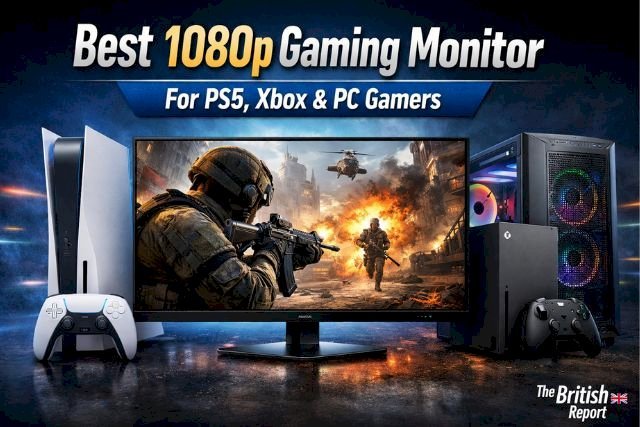
Gaming hardware has evolved rapidly over the past few years, but one thing remains constant: 1080p gaming monitors are still the most popular choice for console and PC gamers alike. In 2026, despite the rise of 4K and 1440p displays, Full HD (1920×1080) monitors continue to dominate thanks to their affordability, high refresh rates, and excellent performance across PS5, Xbox Series X|S, and gaming PCs.
Whether you’re a competitive FPS player chasing smooth frame rates, a console gamer looking to unlock 120Hz gameplay, or a PC gamer building a cost-effective setup, choosing the best 1080p gaming monitor can dramatically improve your experience.
This in-depth guide breaks down everything you need to know — from refresh rates and panel types to console compatibility — and highlights the best 1080p gaming monitors for PS5, Xbox & PC gamers in 2026.
Why 1080p Gaming Monitors Still Matter in 2026
While higher resolutions often steal the spotlight, 1080p remains incredibly relevant for several reasons:
-
Higher frame rates: Easier for consoles and PCs to hit 120–240 FPS
-
Lower hardware demands: Ideal for mid-range GPUs and consoles
-
Lower cost: Better value than 1440p or 4K
-
Competitive advantage: Faster response times and reduced input lag
For esports titles like Call of Duty, Fortnite, Valorant, CS2, and Apex Legends, 1080p monitors often deliver the smoothest and most responsive gameplay.
Why Competitive Gamers Still Prefer 1080p in 2026
In competitive gaming, resolution often takes a back seat to performance. Professional esports players and serious competitive gamers frequently choose 1080p monitors because they allow GPUs and consoles to maintain consistently high frame rates. Higher resolutions like 1440p or 4K can look sharper, but they often introduce additional system load that may reduce frame stability.
For fast-paced games such as Valorant, Counter-Strike 2, Call of Duty Warzone, and Apex Legends, smooth motion and low input lag provide a measurable competitive advantage. A 1080p monitor running at 144Hz or 240Hz allows players to react faster to on-screen changes and track movement more accurately.
In fact, many esports tournaments still standardize around 24-inch 1080p displays with refresh rates between 144Hz and 240Hz, making them the most practical choice for competitive players even in 2026.
Real-World Performance: Input Lag & Motion Clarity in 2026
In 2026, gamers are paying closer attention to measurable performance data rather than just marketing numbers. While many monitors advertise “1ms response time,” actual input lag can vary between 3ms and 10ms depending on overdrive settings and refresh rate.
For competitive gaming titles like Warzone, Fortnite, Valorant, and CS2, total system latency matters more than resolution. A 1080p monitor running at 120Hz or 144Hz typically delivers:
-
6–8ms average input lag
-
Better motion clarity at lower GPU load
-
More stable frame pacing compared to 1440p on mid-range GPUs
Because consoles like PS5 and Xbox Series X prioritize stable 120Hz performance at 1080p, many competitive players intentionally choose Full HD to reduce latency and improve responsiveness.
For esports players, 240Hz 1080p monitors still offer the lowest real-world motion blur available in 2026.
Quick Comparison: Best 1080p Gaming Monitors for PS5, Xbox & PC
| Monitor | Size | Refresh Rate | Panel | Response Time | Console Support | Best For |
|---|---|---|---|---|---|---|
| ASUS TUF VG249Q1A | 24" | 165Hz | IPS | 1ms MPRT | PS5 / Xbox | Best Overall |
| BenQ ZOWIE XL2411K | 24" | 144Hz | TN | 1ms | PS5 / Xbox | Competitive FPS |
| LG 24GN600-B | 24" | 144Hz | IPS | 1ms GTG | PS5 / Xbox | Budget Choice |
| MSI Optix G241 | 24" | 144Hz | IPS | 1ms | PS5 / Xbox | Console Gaming |
| Alienware AW2523HF | 25" | 240Hz | IPS | 1ms | PC / Xbox | High-FPS PC Gaming |
Key Things to Consider Before Buying a 1080p Gaming Monitor
Refresh Rate: 120Hz vs 144Hz vs 240Hz
-
120Hz: Ideal for PS5 & Xbox Series X|S
-
144Hz–165Hz: Sweet spot for console + PC gamers
-
240Hz: Best for competitive PC esports
Both PS5 and Xbox Series X|S support 120Hz at 1080p, making refresh rate more important than resolution for smooth gameplay.
Response Time & Input Lag
-
Look for 1ms GTG or MPRT
-
Lower input lag = faster reactions
-
Crucial for shooters and competitive titles
Even casual gamers benefit from faster response times due to reduced motion blur.
HDMI & DisplayPort Compatibility
-
HDMI 2.0 is enough for 1080p at 120Hz
-
HDMI 2.1 is not required at 1080p
-
DisplayPort preferred for PC gaming
Many gamers mistakenly overpay for HDMI 2.1 when it isn’t necessary at Full HD.
Panel Type Explained
IPS Panels
-
Best color accuracy & viewing angles
-
Ideal for mixed gaming and content
VA Panels
-
Better contrast
-
Slightly slower response
TN Panels
-
Fastest response times
-
Weaker colors (used in esports)
For most gamers in 2026, IPS is the best overall choice.
IPS vs TN vs VA for Gaming in 2026
While IPS panels have become the most balanced choice for gaming monitors, each panel technology offers distinct advantages depending on the type of games you play.
IPS panels deliver the best color accuracy and viewing angles, making them ideal for gamers who also watch content or create media. Modern IPS gaming panels have significantly improved response times and now rival TN panels in many cases.
TN panels, on the other hand, remain popular among competitive esports players because they offer the fastest pixel response times and extremely low input lag. However, they sacrifice color quality and viewing angles.
VA panels provide the highest contrast ratios, which can make darker games like horror or cinematic RPGs appear more immersive. The downside is that some VA panels can introduce slight ghosting during fast motion.
For most gamers in 2026, a fast IPS panel strikes the best balance between performance and visual quality.
Screen Size & Pixel Density
-
24 inches = perfect for 1080p
-
27 inches can look soft at 1080p
-
Smaller screens improve competitive focus
Best 1080p Gaming Monitor for PS5, Xbox & PC Gamers
Best Overall: ASUS TUF VG249Q1A
The ASUS TUF VG249Q1A strikes the perfect balance between performance, image quality, and console compatibility.
Key Specs
-
24-inch IPS panel
-
165Hz refresh rate
-
1ms MPRT
-
FreeSync Premium
-
Excellent motion handling
Why It’s Great
-
Smooth 120Hz console gaming
-
Vibrant IPS colors
-
Strong build quality
Pros
✔ Fast & fluid gameplay
✔ Great for PS5, Xbox & PC
✔ Excellent value
Cons
✘ Basic HDR
Best for Competitive FPS: BenQ ZOWIE XL2411K
Designed specifically for esports players, this monitor focuses on speed above all else.
Key Specs
-
144Hz refresh rate
-
TN panel
-
DyAc motion blur reduction
-
Tournament-grade performance
Why It’s Great
-
Extremely low input lag
-
Used by pro players worldwide
Pros
✔ Ultra-fast response
✔ Esports-focused design
Cons
✘ Weaker colors
✘ No HDR
Best Budget Option: LG 24GN600-B
For gamers seeking maximum value, LG delivers impressive performance at a lower price.
Key Specs
-
144Hz IPS panel
-
1ms GTG
-
FreeSync Premium
-
Clean design
Why It’s Great
-
Excellent price-to-performance
-
Solid console compatibility
Pros
✔ Affordable
✔ IPS quality
Cons
✘ Limited stand adjustability
Best for Console Gaming: MSI Optix G241
This monitor is optimized for smooth console play with vibrant visuals.
Key Specs
-
144Hz IPS panel
-
1ms response
-
Wide color gamut
Why It’s Great
-
Excellent for PS5 & Xbox Series X|S
-
Good HDR tone mapping (for 1080p)
Pros
✔ Console-friendly
✔ Great color accuracy
Cons
✘ HDR is still limited to 1080p
Best for High-FPS PC Gaming: Alienware AW2523HF
PC gamers chasing ultra-high frame rates will love this 240Hz beast.
Key Specs
-
240Hz refresh rate
-
Fast IPS panel
-
Premium design
Why It’s Great
-
Perfect for competitive esports
-
Extremely smooth motion
Pros
✔ Ultra-fast refresh rate
✔ Premium build
Cons
✘ Overkill for consoles
Updated Pricing Snapshot (2026)
Below is the average pricing range as of 2026:
| Monitor | Average USD Price | Approx GBP Price |
|---|---|---|
| ASUS TUF VG249Q1A | $180–$220 | £150–£180 |
| BenQ ZOWIE XL2411K | $200–$230 | £170–£190 |
| LG 24GN600-B | $140–$180 | £120–£150 |
| MSI Optix G241 | $160–$200 | £140–£170 |
| Alienware AW2523HF | $280–$330 | £250–£290 |
Prices fluctuate during sales events and seasonal promotions.
For gamers searching for the best 1080p monitor under $200, the LG 24GN600-B and ASUS TUF VG249Q1A remain the strongest options in 2026.
Best 1080p Gaming Monitor Under $200
For budget-conscious gamers, the under-$200 category offers some of the best value in the gaming monitor market. Many manufacturers now deliver high refresh rates and IPS panels at extremely competitive prices.
Monitors like the LG 24GN600-B and ASUS TUF VG249Q1A frequently drop below the $200 price mark during seasonal promotions. These models provide 144Hz+ refresh rates, adaptive sync support, and fast response times that make them perfect for both console and PC gamers.
Choosing a budget monitor no longer means sacrificing performance. In fact, many affordable 1080p monitors now deliver gaming experiences that rival far more expensive displays from just a few years ago.
For gamers building a cost-effective setup, this category offers the best price-to-performance ratio in 2026.
PS5, Xbox & PC Compatibility Explained
Best PS5 Settings for 1080p Monitors
-
Enable 120Hz mode
-
Use Performance Mode
-
HDR optional (depends on panel)
Best Xbox Series X|S Settings
-
Enable VRR
-
Use Auto Low Latency Mode
-
120Hz at 1080p works perfectly
PC Optimization Tips
-
Set refresh rate manually in Windows
-
Enable FreeSync or G-Sync
1080p vs 1440p vs 4K: Which Should You Choose?
| Resolution | Best For | Drawbacks |
|---|---|---|
| 1080p | High FPS, esports | Lower sharpness |
| 1440p | Balanced visuals & performance | More GPU power |
| 4K | Cinematic gaming | Expensive & demanding |
If you prioritize performance and competitive play, 1080p is still king in 2026.
Must-Have Features in a 1080p Gaming Monitor
-
Adaptive Sync (FreeSync / G-Sync Compatible)
-
Low input lag
-
Flicker-free technology
-
Adjustable stand (height & tilt)
Common Mistakes to Avoid
-
Buying oversized screens
-
Paying extra for HDMI 2.1 unnecessarily
-
Expecting true HDR at 1080p
-
Ignoring panel type
1080p Monitor Buying Guide for Different Gamer Types
For PS5 Players
Look for:
-
Native 120Hz support
-
HDMI 2.0
-
Low input lag under 10ms
-
VRR compatibility
The best 1080p 120Hz monitor for PS5 is typically a 144Hz IPS panel, as it fully supports Sony’s 120Hz output.
For Xbox Series X|S Players
Xbox supports:
-
120Hz at 1080p
-
VRR (Variable Refresh Rate)
-
FreeSync compatibility
Choosing a FreeSync Premium-certified monitor improves smoothness and eliminates screen tearing.
For Competitive PC Gamers
If your GPU consistently pushes 200+ FPS in esports titles, a 240Hz 1080p monitor provides:
-
Lower perceived blur
-
Faster frame transitions
-
Reduced ghosting
For mid-range GPUs like RTX 3060 or RX 6600-class cards, 1080p remains the most stable resolution for high frame rate gaming.
Who Should Buy a 1080p Gaming Monitor in 2026?
1080p gaming monitors remain an excellent choice for a wide range of players. Competitive esports gamers benefit from the extremely high refresh rates available at Full HD resolution, while console players can easily unlock 120Hz gameplay on PS5 and Xbox Series X without requiring expensive hardware.
Budget PC gamers also gain a major advantage because 1080p allows mid-range graphics cards to maintain stable frame rates in modern titles. GPUs like the RTX 3060, RTX 4060, and RX 6600 still perform exceptionally well at this resolution.
Additionally, 24-inch 1080p monitors provide ideal pixel density for desktop gaming setups. Text remains sharp, UI elements are easy to read, and motion clarity stays high even during intense gameplay.
For gamers who prioritize smooth performance, affordability, and competitive responsiveness, 1080p continues to be one of the smartest monitor choices in 2026.
FAQs
Is 1080p good enough for PS5 and Xbox Series X?
Yes — especially for 120Hz gaming.
Does PS5 support 144Hz monitors?
PS5 caps at 120Hz, but 144Hz monitors still work perfectly.
Is HDMI 2.1 required?
No, HDMI 2.0 is sufficient at 1080p.
What size is best for 1080p gaming?
24 inches offers the best clarity and performance.
Final Verdict
-
Best Overall: ASUS TUF VG249Q1A
-
Best Competitive FPS: BenQ ZOWIE XL2411K
-
Best Budget: LG 24GN600-B
-
Best Console Choice: MSI Optix G241
-
Best for PC Esports: Alienware AW2523HF
For most gamers in 2026, a high-refresh-rate 1080p monitor remains the smartest, most cost-effective choice — especially when gaming across PS5, Xbox, and PC.